Overview
This document explains the difference between Scheduled and Decision Making bill statuses in CivicNexus. These two statuses both indicate that a bill has a hearing on the calendar, but they differ in whether testimony is accepted. We’ll cover:
- What each status means
- How the calendar distinguishes between them
- Why you should include both when building lists of bills receiving a hearing
What is Scheduled?
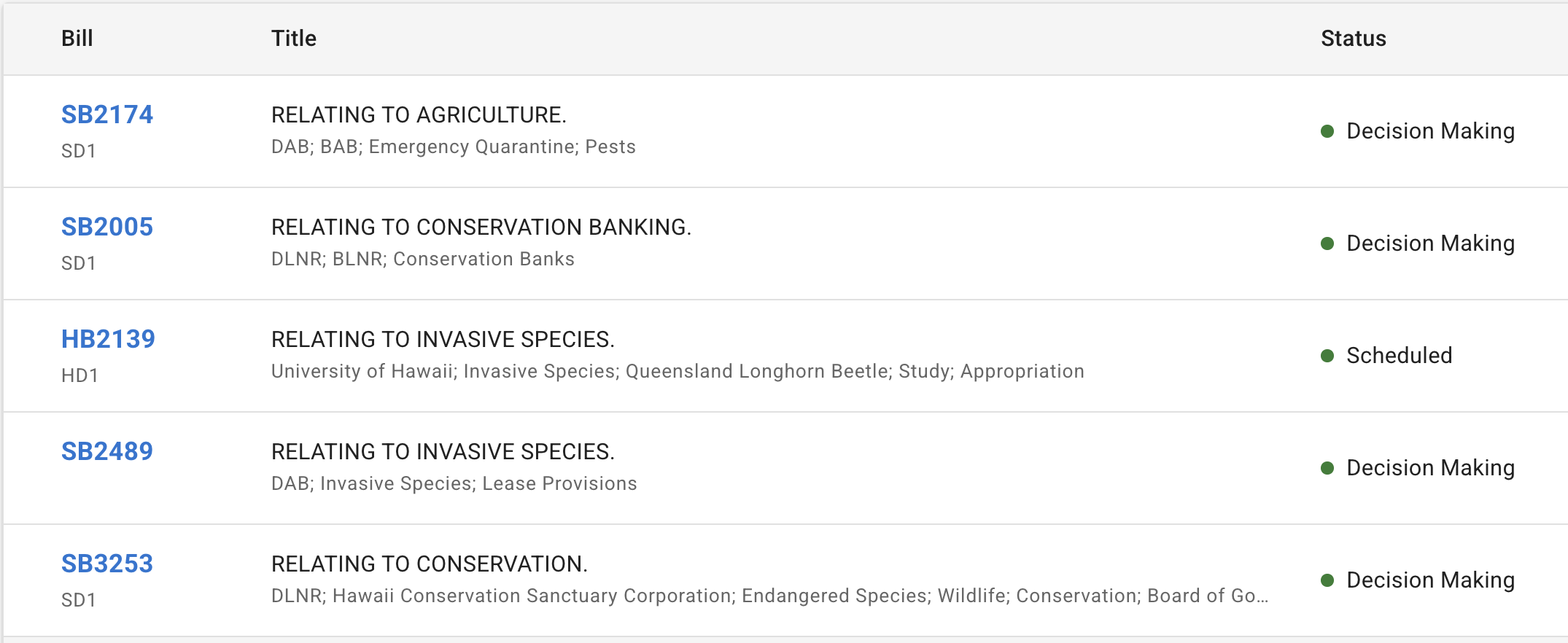
Scheduled is the status that appears when a bill is scheduled for a hearing. These hearings allow for both oral testimony and written testimony.
What is Decision Making?
Decision Making is the status that appears when a bill has a hearing but is not accepting oral testimony. Occasionally, a decision making hearing will accept written testimony—this is most commonly done by the Senate when they move a bill straight to decision making after the first hearing, bypassing a second hearing where testimony would normally be taken.
How the calendar distinguishes them
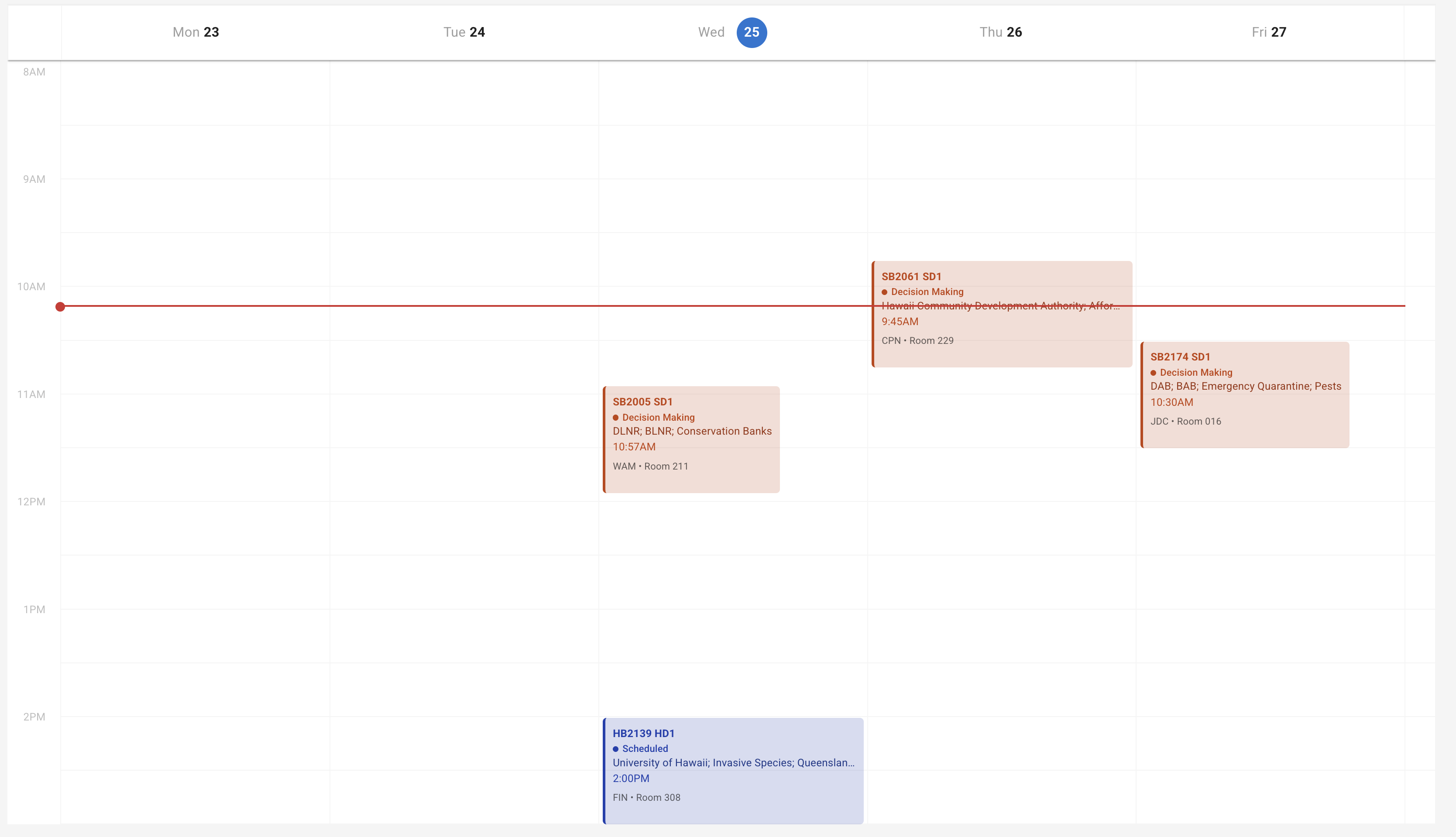
The calendar distinguishes between:
- Scheduled hearing: Allows oral testimony and written testimony.
- Decision making: Testimony may or may not be accepted (oral testimony is not accepted; written testimony is sometimes accepted).
Including both when tracking hearings
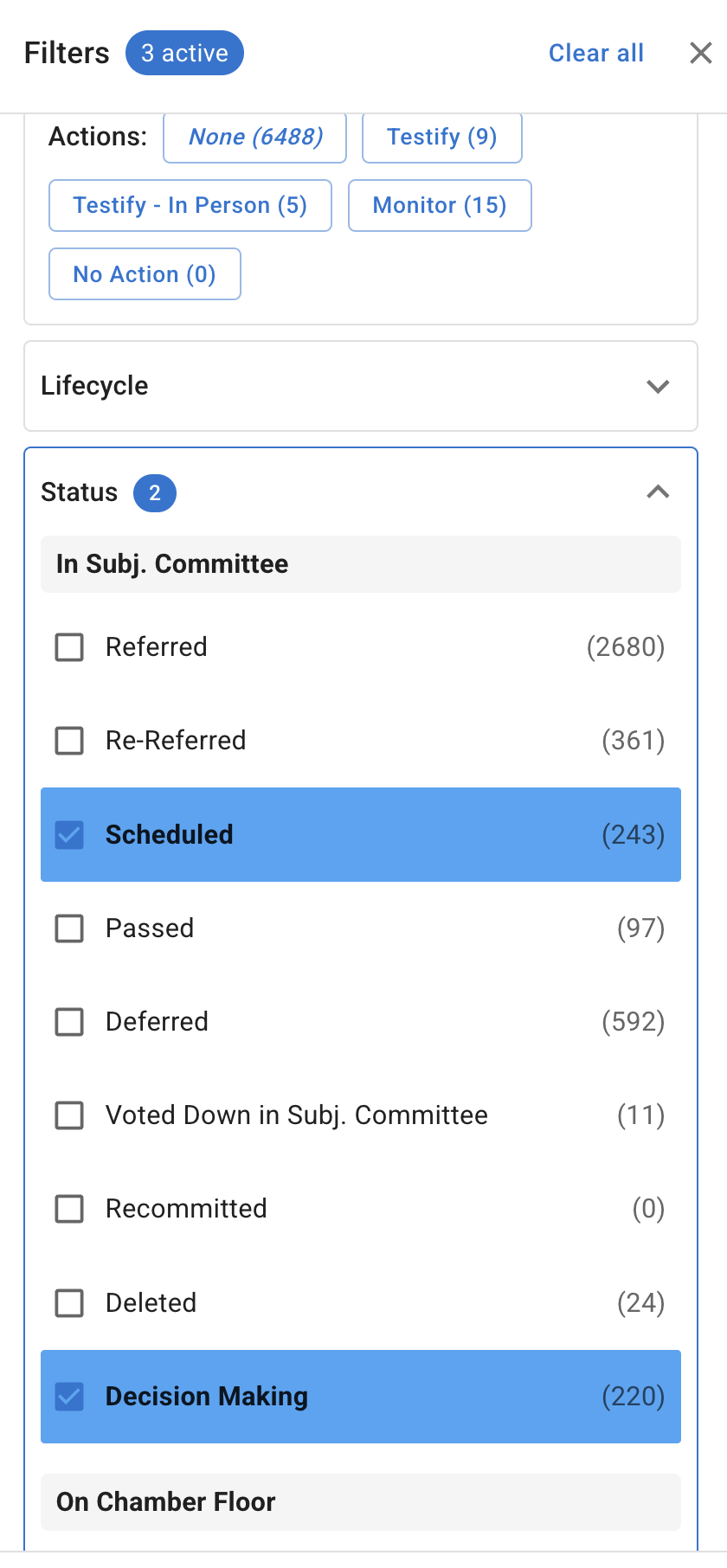
If you are looking for a list of bills that are receiving a hearing, it’s important to include both Scheduled and Decision Making in your status groups. Otherwise, you’ll miss these special Senate hearings where a bill goes straight to decision making after the first hearing.
When building a list or filter for bills with upcoming hearings, add both statuses to your Status filter so you capture the full picture of what’s on the calendar.
See how to make a list for step-by-step instructions on creating and saving lists with filters.